Long Wait Times
Citizens waited without any ticket or time estimate, causing congestion and frustration.
Manual Processing
Staff managed queues by hand — slow, error-prone, and impossible to scale.
No Data Visibility
Management had no real-time insight into service loads, bottlenecks, or daily volumes.
Siloed Services
Multiple service types — medical, burial, transport, education — had no unified routing.
The Challenge
Service offices were overwhelmed by disorganized queues and manual processes—leaving citizens to deal with long waits and confusing service procedures.
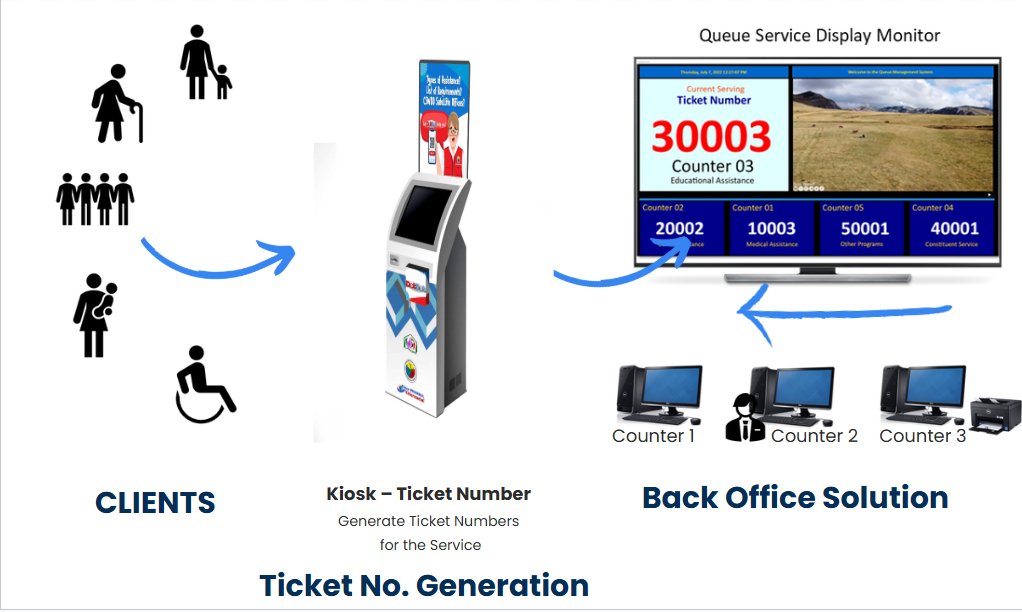
Every day, many individuals visit service offices seeking various types of assistance such as medical aid, financial support, educational grants, and other social services. Without a structured system in place, clients often experience long periods of uncertainty, with no clear queue, no indication of when they will be called, and confusion about which service counter to approach. At the same time, staff members struggle to manage queues manually while handling paperwork at the front desk, causing crowds to build up in waiting areas. This situation can lead to slow service, misplaced records, and growing frustration for both clients and employees. To address these challenges, an integrated **IoT-powered Automated Kiosk and Advance Queueing Management System (AQMS)** was developed. The system streamlines service operations by organizing client queues, improving workflow efficiency, and providing a clearer and more convenient service experience for both visitors and staff.
Architecture
Cloud-connected. Counter-aware. Always on.
All system data is transmitted to a secure cloud server, ensuring reliable storage and accessibility. Because the system operates in the cloud, there is no dependency on local machines, allowing authorized users to access information from anywhere while maintaining automatic backups and high system availability.
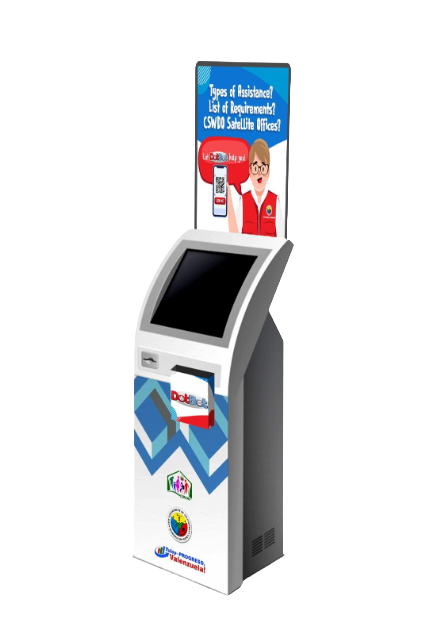
Self-service kiosks generate queue tickets that are transmitted instantly to staff consoles at the appropriate service counters. This real-time pipeline eliminates manual ticket handling and ensures that service staff can immediately view and manage the incoming queue.
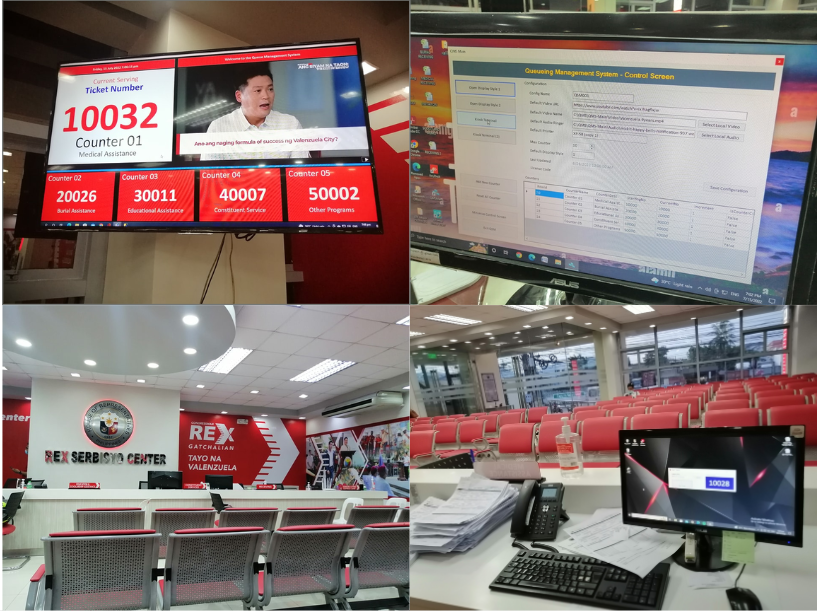
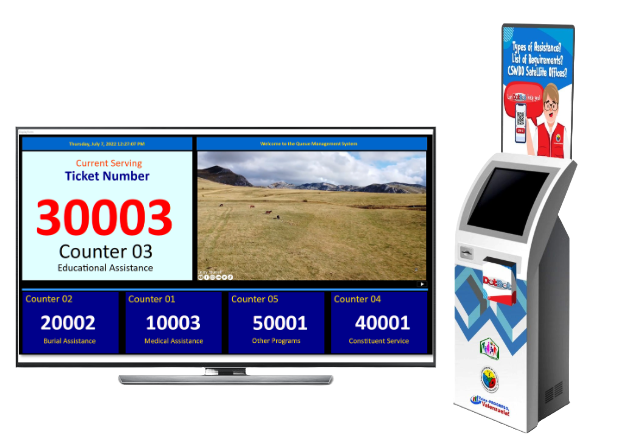
Digital signage displays are synchronized with the system in real time. When a counter calls the next number, the display updates automatically, allowing clients to track their queue status clearly without needing to ask staff.
An integration layer connects the queue management system with other digital services such as chatbots, back-office processing systems, and administrative analytics dashboards through a unified API, enabling seamless data exchange and system interoperability.